Guide · Home office · 4 models
How to arrange a small desk for working from home: screen height, light, cables and sockets, in that order
A box room, a living-room corner or the end of the kitchen table can be a desk you sit at for eight hours without hurting — if four things are right. The HSE gives the first in one sentence. This guide takes the rest in the order they matter, with the products that solve each one and the reasons they might not be for you.
The order matters
Small desks fail in a predictable order: the screen is too low, so the neck hurts; the light is wrong, so the eyes hurt; the cables and sockets are wrong, so the desk is never clear and the laptop is never charged. Fix them in that order. The first has a standard behind it, the second has physics, the third is housekeeping. What follows assumes a laptop, possibly one monitor, and a desk you may need to clear at the end of the day.
1. Screen height: the HSE sentence
The Health and Safety Executive’s guidance on display screen equipment reduces to one line: top of the screen level with your eyes, about an arm’s length away, with the keyboard and mouse separate from the laptop so the screen can be raised on a riser. Everything about a laptop on a bare desk breaks it — the screen top is 15 to 25 cm too low, and if you raise the laptop you cannot type on it.
So the first purchase is two things, not one: a stand and a keyboard. The keyboard can be anything; the stand depends on the desk.
a stand that folds away with the desk
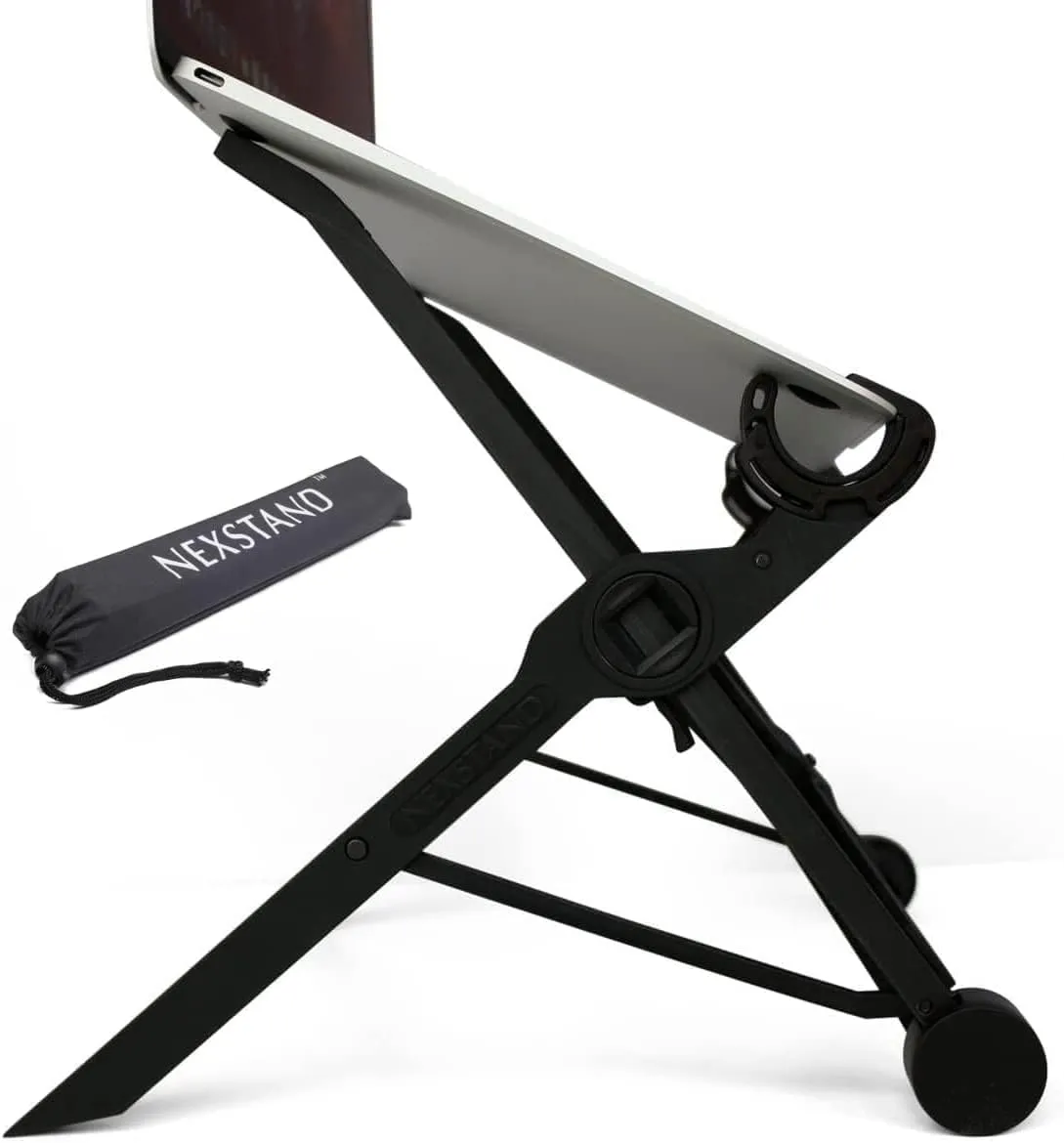
Nexstand K2
- Type
- Folding portable
- Lowest height
- 14 cm
- Highest height
- 29 cm
- Height settings
- 8
- Laptop size
- 10–17 in, front edge under 2 cm
- Max load
- 9 kg
Check price on Amazon.co.uk
For a desk that is also the kitchen table, the stand has to leave with the laptop. The Nexstand K2 folds to a 36 cm baton at 234 g and opens to eight heights between 14 and 29 cm — enough for tall sitters and small screens — and goes in the laptop sleeve with a folding keyboard.
Strengths
- 234 g and 36 × 3.8 × 3.8 cm folded — it lives in the laptop bag
- Eight heights from 14 to 29 cm; 9 kg load
- Open frame keeps air around the laptop
Limitations
- Nylon, not metal — flexes more than a riser
- Needs a laptop with a front edge under 2 cm
- 1-year warranty
Good for
- a desk that is cleared at dinner
- commuting between two desks
- anyone who wants the screen at eye level for the price of nothing on the desk
Look elsewhere if
- a permanent desk where looks matter
- thick gaming laptops
a fixed stand for a permanent corner
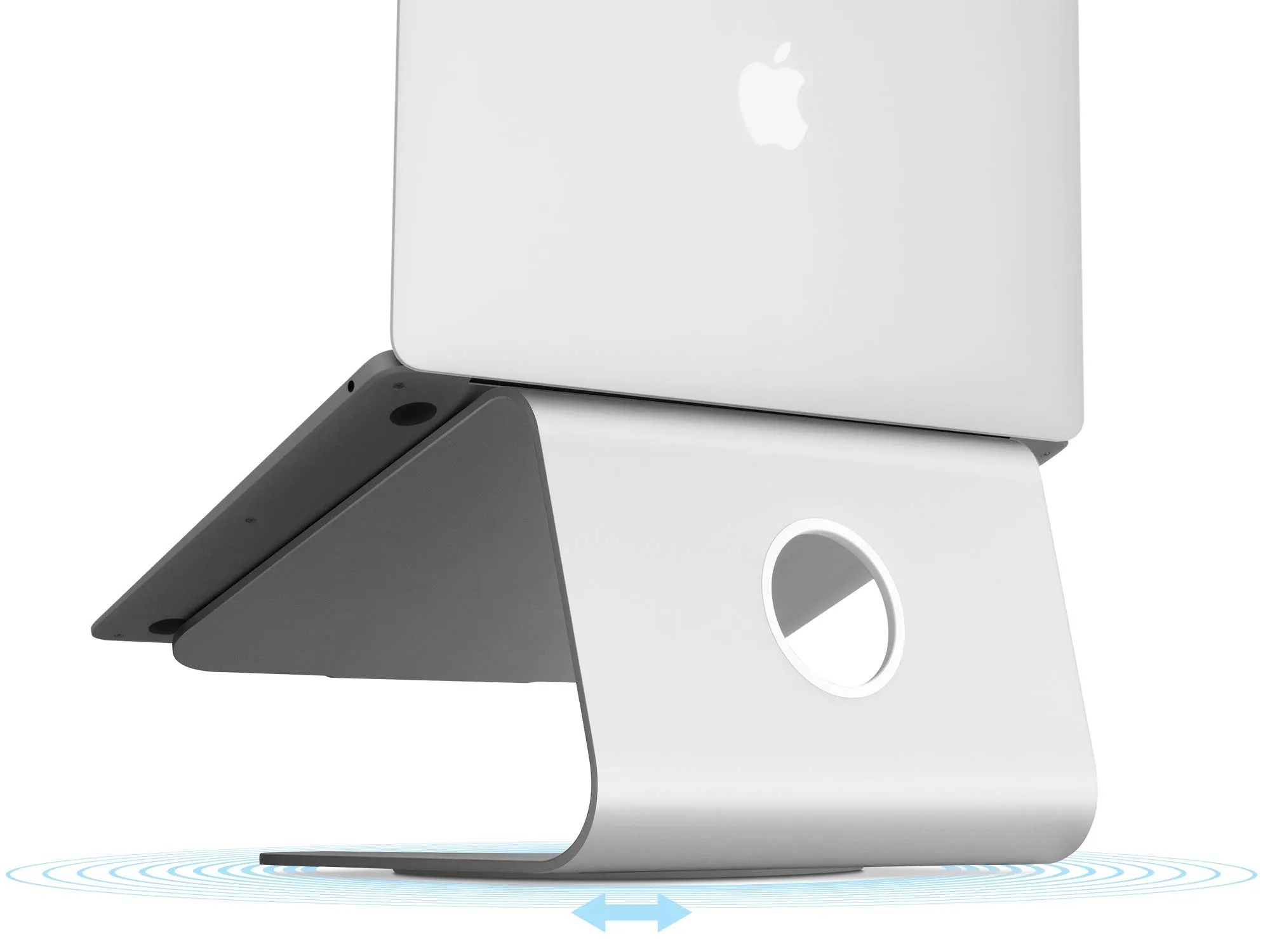
Rain Design mStand
- Type
- Fixed riser
- Height
- 15 cm
- Width
- 25.3 cm
- Depth
- 19 cm
- Material
- Single piece of anodised aluminium, 2.5 mm
- Weight
- 1.46 kg
Check price on Amazon.co.uk
For a permanent corner with one laptop and one sitter of average height, a fixed riser is simpler: Rain Design’s mStand is a single bent sheet of aluminium 15 cm high with a hole for the cable, and there is nothing to adjust or loosen. If 15 cm is not enough for you — tall, or a 13-inch laptop — an adjustable stand is the answer, not books.
If you have a monitor, it becomes the main screen at eye level and the laptop can sit low as a second screen or closed; the fix is a monitor arm or riser rather than a laptop stand.
Strengths
- One piece of aluminium; nothing to adjust, loosen or break
- Cable hole and heat-sink body
- Six colours to match a MacBook
Limitations
- One height (15 cm) — right for many desks, wrong for tall or short sitters
- 1.46 kg and 25 × 19 cm — it stays put
- 1-year warranty
Good for
- a permanent desk with an external keyboard
- someone who wants the laptop to look like a monitor
Look elsewhere if
- anyone who needs to adjust height
- travel
2. Light: side, height, colour
The screen lights itself; the keyboard, the notebook and your hands do not, and in the evening the contrast between a bright screen and a dark desk is what tires eyes. The lamp’s job is to bring the desk up to something like the screen’s brightness without reflecting in the screen or shining in your eyes. Three rules: put it to the side of the screen, on the side opposite your writing hand; get the head above your eye line or shaded so the LEDs are not visible; and choose a colour temperature near the screen’s — 4000 to 5000 K in the day, warmer in the evening if the lamp allows it.
light with no footprint
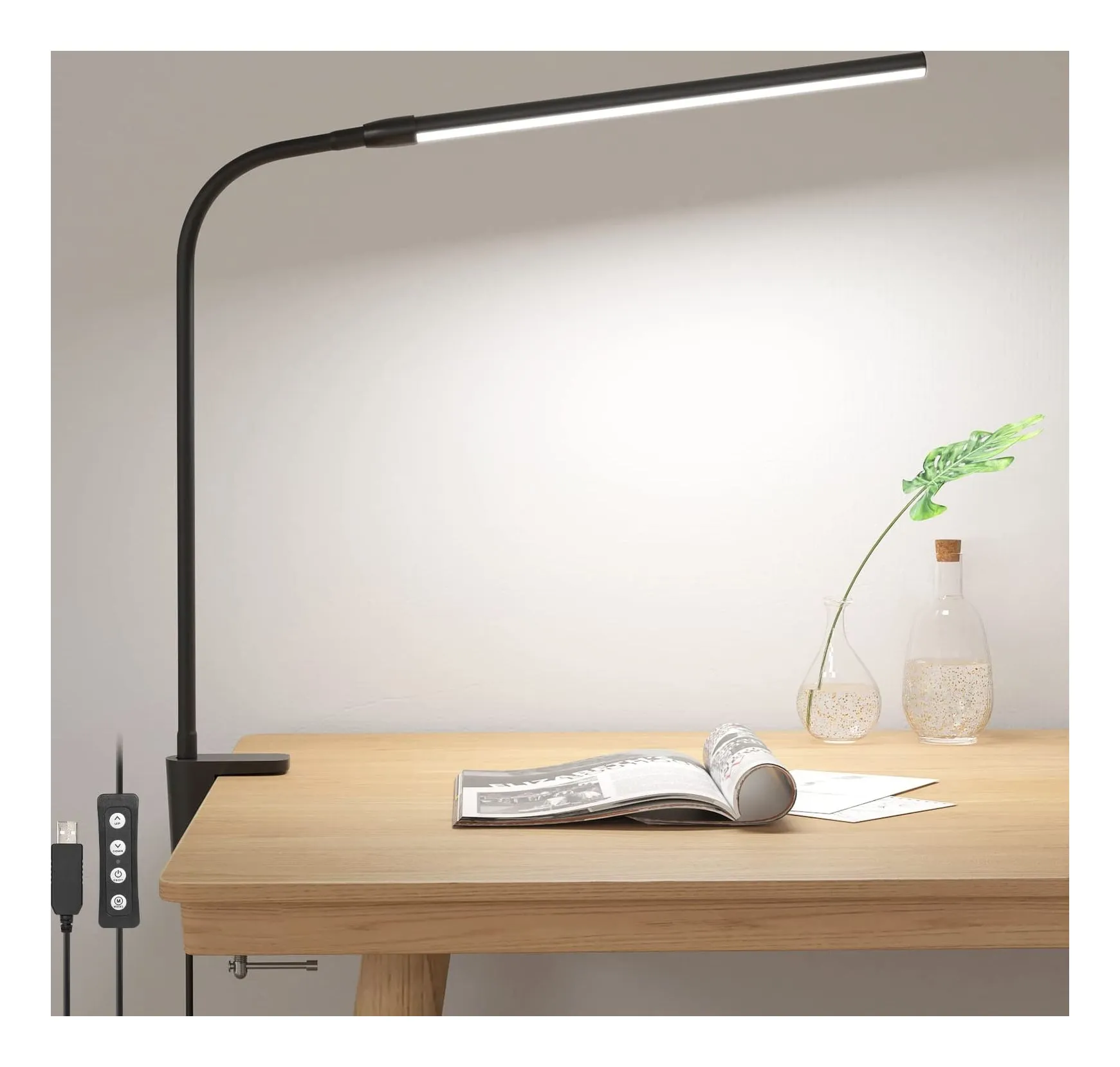
Lepro Clamp Desk Lamp, 460 lm
- Brightness
- 460 lm
- Power
- 5 W
- Colour temperature
- warm, neutral or cool white
- Colour modes
- 3
- Brightness levels
- 10
- LEDs
- 54
Check price on Amazon.co.uk
On a small desk the lamp’s base is the problem, and a clamp solves it: Lepro’s clamp lamp grips any edge up to 5 cm thick and rises 40 cm on a gooseneck, gives 460 lumens with three colour modes and ten brightness levels, and runs from a USB port — which also means it does not need the socket that is on the wrong side of the desk.
If your main screen is a monitor and the desk is shallow, a light bar that sits on top of the monitor and lights the desk in front of it takes no desk space at all; that is a separate comparison against a desk lamp.
Strengths
- Clamps to a desk edge or shelf up to 5 cm thick — no footprint at all
- Runs from a laptop, monitor hub, phone charger or power bank (5 V 1 A)
- Ten brightness levels and three colour modes at this size
Limitations
- No adapter in the box — you supply the USB power
- Gooseneck holds a position but is not a counterbalanced arm
- Lepro gives no kelvin figures for the three colour modes
Good for
- a desk with no free surface
- a shelf or drawing board
- a second lamp on the keyboard side of a screen
Look elsewhere if
- a worktop thicker than 5 cm or a desk with a raised lip
- lighting a whole desk from one point
3. Sockets and cables: reduce, then route
A laptop, a phone, earbuds and a lamp want four plugs, and a box room has two sockets. Reduce before you route.
one charger instead of three plugs
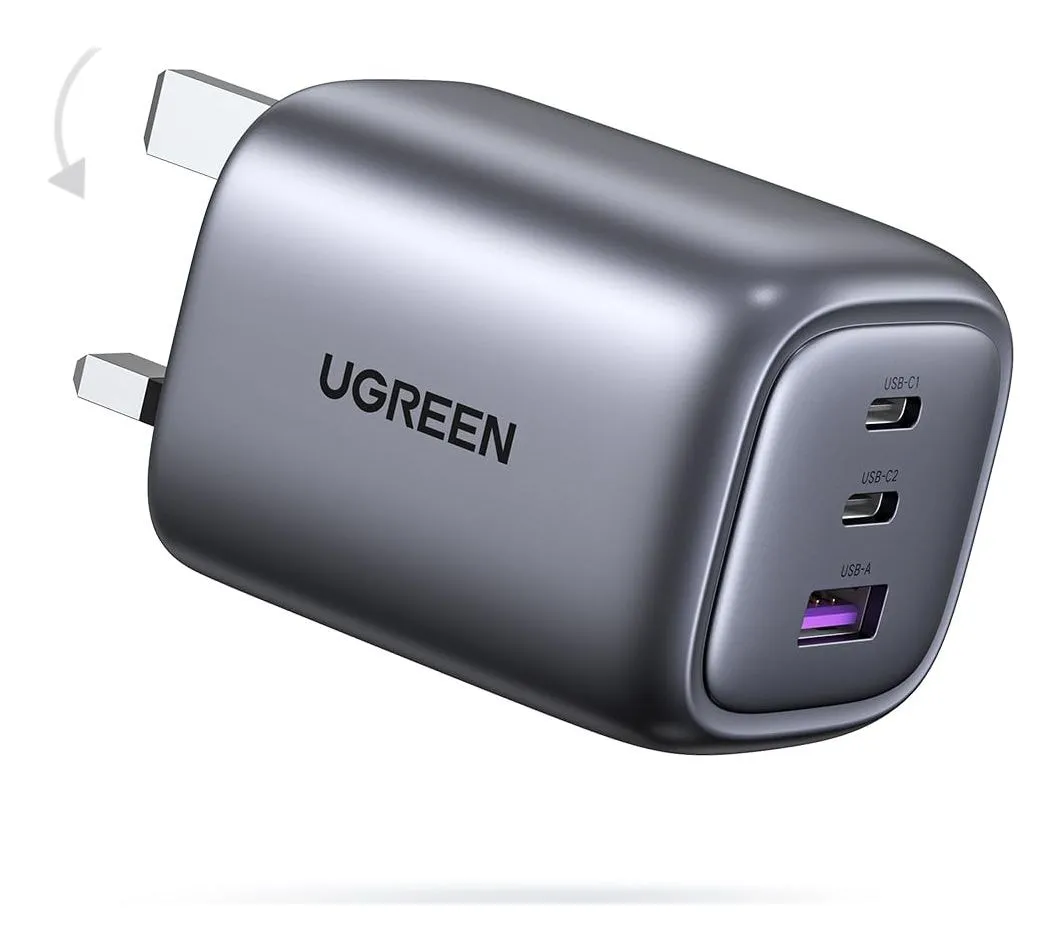
UGREEN Nexode 65W 3-port
- Maximum output
- 65 W
- Ports
- 2 × USB-C + 1 × USB-A
- Power sharing
- Not stated by UGREEN ('intelligent distribution')†
- Protocols
- USB-C: PD 3.0, PPS, QC 4+, SCP, FCP, AFC, Apple, BC1.2; USB-A: SCP, QC 3.0, FCP, AFC, Apple, BC1.2
- GaN
- Yes
- Body size
- 57 × 50 × 46 mm
Check price on Amazon.co.uk
One USB-C charger with enough wattage for the laptop replaces the laptop brick and the phone charger: UGREEN’s Nexode 65 W has two USB-C ports and a USB-A, folds its pins, and runs a MacBook Air or a 65 W Windows laptop from one socket with the phone on the second port. A 100 W charger does the same for a 14-inch MacBook Pro. A USB-powered lamp then hangs off the same charger or the laptop.
With the plugs down to one or two, route the cables once: along the back edge of the desk with adhesive clips or a tray, charger on the desk rather than the floor so each cable makes one drop, and a single USB-C cable to the laptop so clearing the desk is unplugging one thing. On a shared table, a small tray or box that holds the charger, the folded stand and the cables is what makes the desk disappear at dinner.
Strengths
- 65 W single-port — a MacBook Air or most 65 W laptops at full speed
- A USB-A port for the old cables you still own
- Folding pins; two-year warranty
Limitations
- UGREEN does not publish how 65 W is shared across three ports
- No cable in the box
- Weight not stated
Good for
- a laptop plus a phone on a desk
- one charger for a weekend bag
- someone with a USB-A watch charger
Look elsewhere if
- a 16-inch MacBook Pro or a gaming laptop
- anyone who needs the multi-port figures in writing — see the Belkin
4. The chair and the desk you already have
A kitchen table is usually 74 to 76 cm high, a desk 72 to 75, and a dining chair is not adjustable. If your elbows are below the table when you type, a cushion raises you; if your feet then leave the floor, a box under them fixes that. The HSE’s posture guidance is about the relationship between eyes, screen, elbows and keyboard, not about buying furniture — and for a desk that is cleared every evening, a cushion and a box are the honest solution.
When this is the wrong guide
If you have a dedicated room and a full monitor set-up, the answers change: a monitor arm, a desk with a cable tray, a mains extension with switched sockets, and the laptop as a docked second screen. This guide is for the desk that shares a room.
Sources
Facts checked 24 September 2026
- HSE — Display screen equipment: good posture — Standard or regulation, checked 24 September 2026
- Nexstand — K2 laptop stand product page (brand store) — Manufacturer documentation, checked 24 September 2026
- Amazon.co.uk listing (NEXSTAND) — Retailer listing, checked 24 September 2026
- Rain Design — mStand product and support pages — Manufacturer documentation, checked 24 September 2026
- Amazon.co.uk listing (Rain Design) — Retailer listing, checked 24 September 2026
- Lepro UK — Desk Lamp Clamp 310006-DWW product page — Manufacturer documentation, checked 23 September 2026
- Amazon.co.uk listing (Lepro) — Retailer listing, checked 23 September 2026
- UGREEN UK — Nexode 65W 3-Port Charger with Foldable Plug (SKU 90663) product page — Manufacturer documentation, checked 23 September 2026
- Amazon.co.uk listing (UGREEN) — Retailer listing, checked 23 September 2026
What height should my screen be?
The HSE's display screen equipment guidance: top of the screen level with your eyes, about an arm's length away. A laptop on a desk puts the screen top 15 to 25 cm too low for most adults, so either a stand plus a separate keyboard and mouse, or a monitor as the main screen with the laptop closed or to one side.
Can I work from a laptop all day?
The HSE's advice is to separate the screen from the keyboard: raise the laptop on a riser and use an external keyboard and mouse, or use a separate display. Working on the laptop as it comes, with the screen low and the keyboard attached, is what the guidance is written to avoid. The kit is a stand and a keyboard; neither needs to be expensive.
Should the lamp go left or right?
On the side opposite your writing hand, so your hand does not shadow the page, and to the side of the screen rather than behind you, so the lamp does not reflect in it. The head should sit above your eye line or be shaded so you cannot see the LEDs directly. If the desk is against a wall with the socket on the wrong side, a clamp lamp or a USB-powered lamp gives you the choice back.
How do I stop the cables taking over?
Reduce the number first: one USB-C charger with two or three ports replaces the laptop brick, the phone charger and the earbuds' plug, and a laptop that charges over USB-C needs one cable to the desk. Then route what is left along the back edge with adhesive clips or a tray, and put the charger on the desk rather than the floor so cables hang down once, not up and down.
Related reading
Shortlist · Home office
Laptop stands for working from home: portable, fixed and adjustable, and which one gets the screen to eye level
The HSE's advice for screen work is one line long — top of the screen level with your eyes, about an arm's length away — and a laptop on a desk fails it by 15 to 25 centimetres. A stand fixes that, but only with a separate keyboard, and only if it lifts high enough. Six stands compared on how high they go, how they adjust, what they weigh and whether they fold into a bag.
Shortlist · Home office
Desk lamps for working from home: six lamps for a small UK desk, from a USB clip-on to an Anglepoise
Most desk lamps are chosen on looks and then blamed for glare. These six differ in the ways that actually matter at a small desk: how much light lands on the surface, whether the colour can shift from daylight to evening, how much desk they take, and where the power comes from — a USB port, a plug-in adapter or an ordinary bulb.
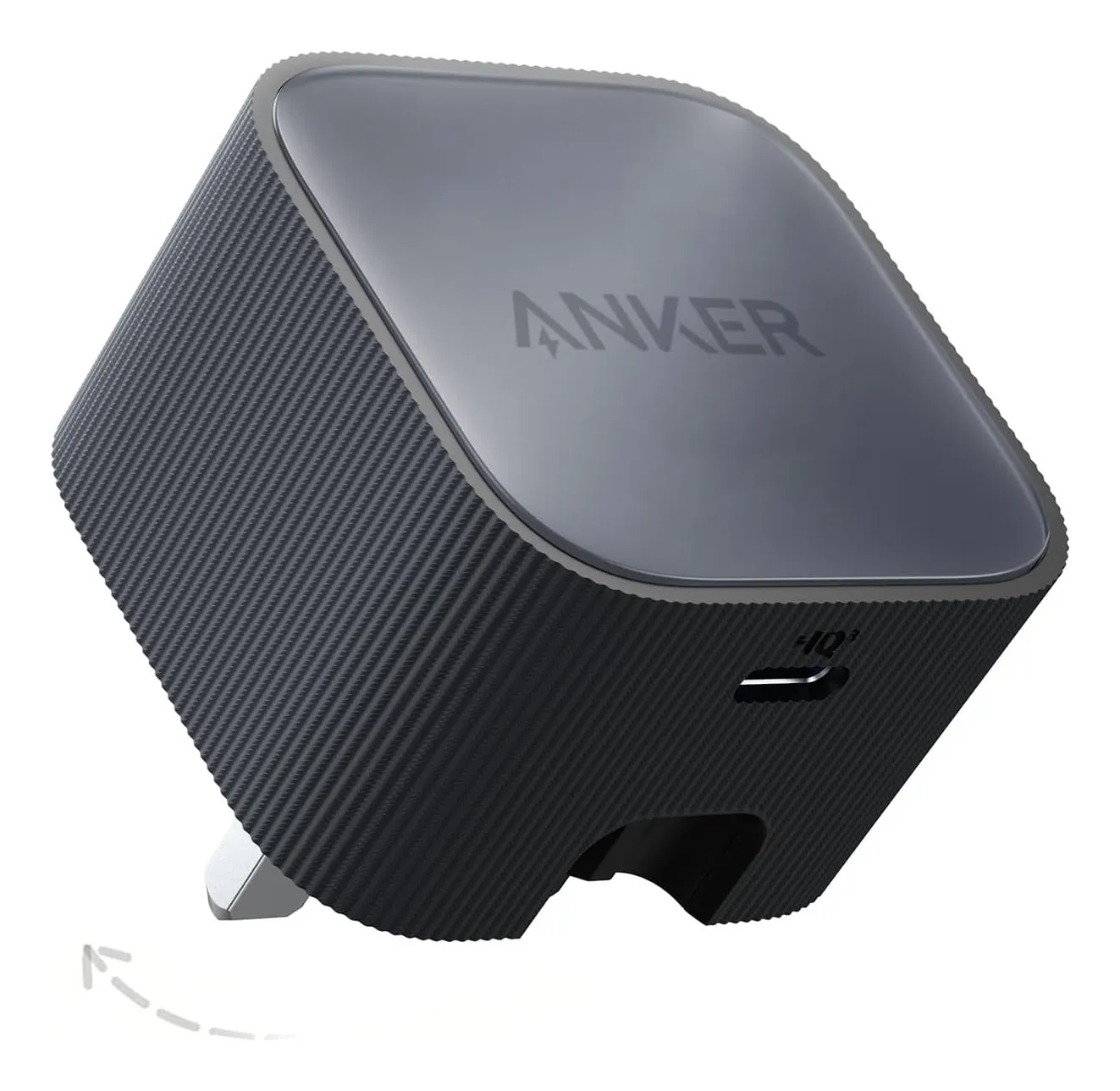
Shortlist · Charging & power
Compact USB-C chargers that replace the box of plugs: six sizes from 30 W to 140 W, with the port splits that matter
The drawer of chargers exists because every device came with its own. One USB-C charger of the right wattage replaces all of them — but 'the right wattage' depends on what you plug in at the same time, and only some makers publish how the power is shared. Six UK-plug GaN chargers from 30 W to 140 W, compared on the figures their makers actually state.