


Comparison · Home office · 2 models
Folding or fixed laptop stand? Nexstand K2 against Rain Design mStand
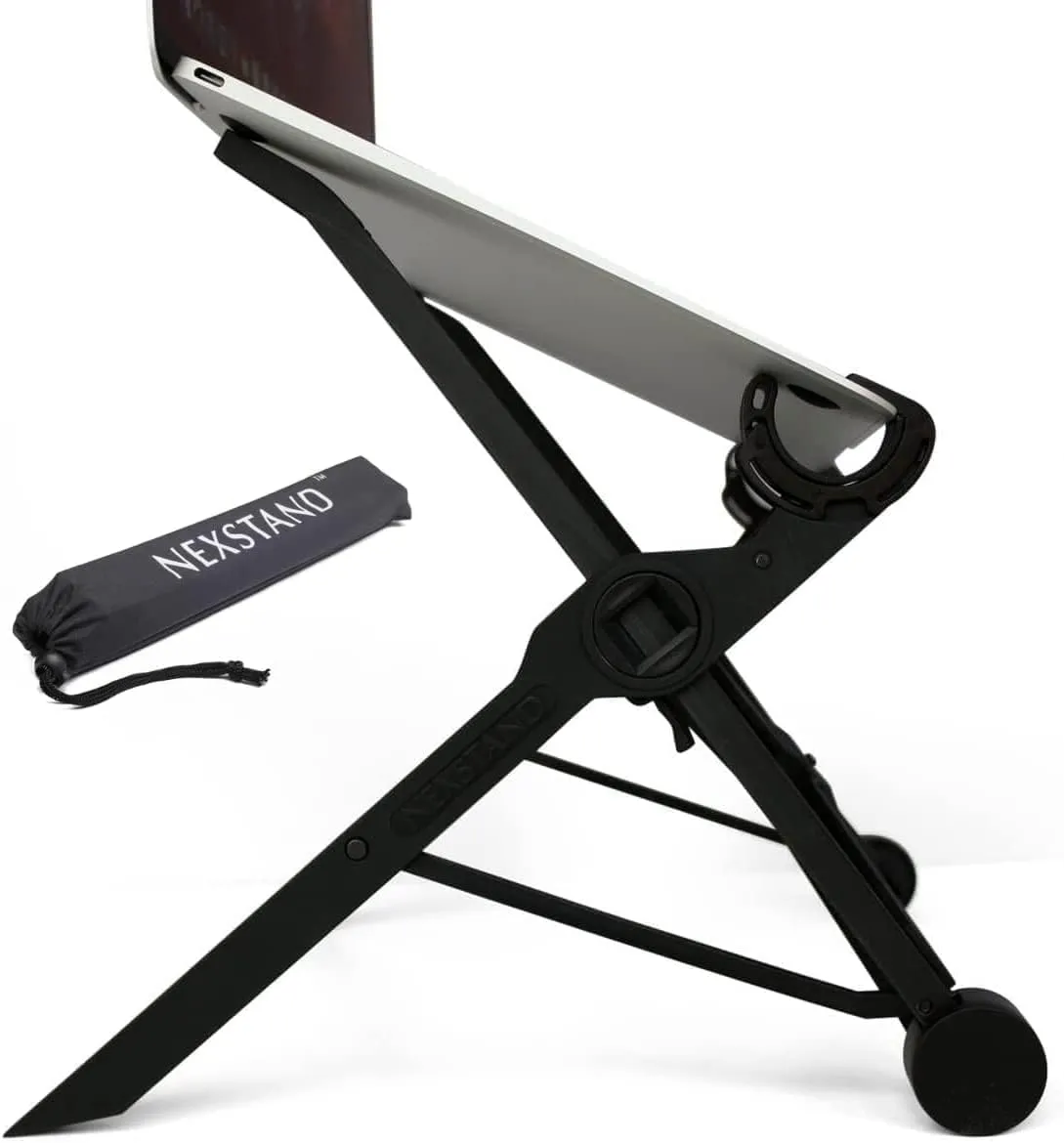
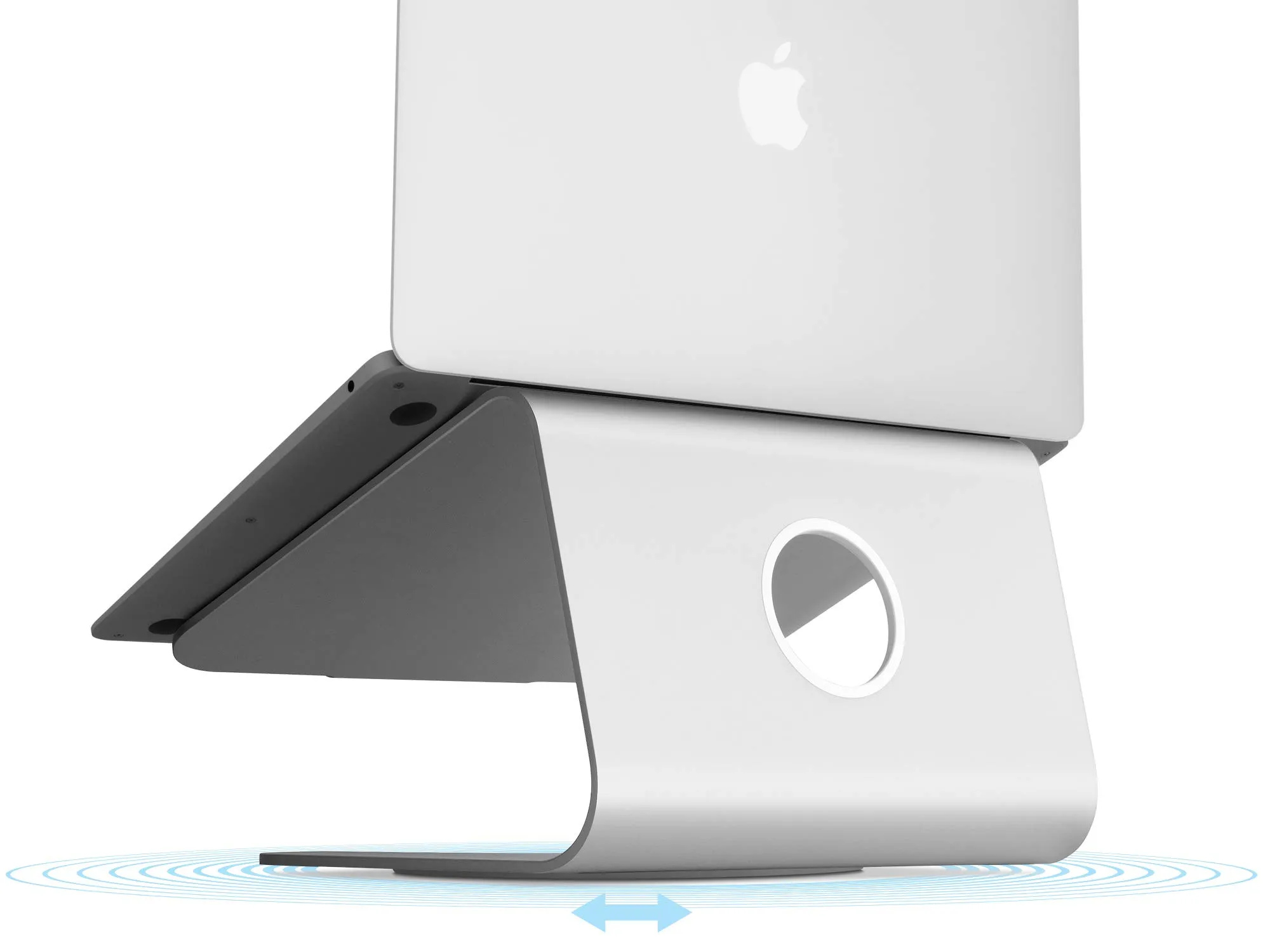
Both lift a laptop screen towards eye level so you can work with a separate keyboard, which is what the HSE's display-screen guidance asks for. One is a 234 g nylon frame that folds into the laptop bag and adjusts from 14 to 29 cm; the other is a 1.46 kg slab of aluminium fixed at 15 cm. Which to buy depends on whether your desk is always the same desk, and how tall you are.
Quick answer
Side by side
| Model | Type | Laptop size | Material | Warranty | Where to buy |
|---|---|---|---|---|---|
| Nexstand K2folding — eight heights, goes in the laptop bag | Folding portable | 10–17 in, front edge under 2 cm | Fibre-glass reinforced nylon | 1 years | View listing |
| Rain Design mStandfixed — one height, one piece of aluminium | Fixed riser | All MacBooks and most notebooks, including the 16-inch MacBook Pro | Single piece of anodised aluminium, 2.5 mm | 1 years | View listing |
Scroll sideways to see every column
Both sets of figures come from the makers’ own pages. Nexstand gives weight in grams and its folded size; Rain Design gives weight in kilograms and a fixed footprint, which is why the weight sits in the text below rather than one column.
Height: the reason to buy either
folding — eight heights, goes in the laptop bag
Nexstand K2
- Type
- Folding portable
- Laptop size
- 10–17 in, front edge under 2 cm
- Material
- Fibre-glass reinforced nylon
- Warranty
- 1 years
Check price
The K2 is an X-frame of fibre-glass-reinforced nylon with eight height positions from 14 to 29 cm. That range is the stand’s whole argument. The HSE’s display-screen guidance asks for the top of the screen at about eye level, and how far that is above a laptop sitting flat depends on two things you cannot change: how tall you are and how big the screen is. A tall adult with a 13-inch laptop needs a lot of lift; a shorter adult with a 16-inch laptop needs much less. Eight steps cover both. Nexstand rates the stand for 9 kg and for laptops of 10 to 17 inches with a front edge under 2 cm thick, includes spacers for very thin machines, and uses rubber pads on the grips.
Strengths
- 234 g and 36 × 3.8 × 3.8 cm folded — it lives in the laptop bag
- Eight heights from 14 to 29 cm; 9 kg load
- Open frame keeps air around the laptop
Limitations
- Nylon, not metal — flexes more than a riser
- Needs a laptop with a front edge under 2 cm
- 1-year warranty
Good for
- a desk that is cleared at dinner
- commuting between two desks
- anyone who wants the screen at eye level for the price of nothing on the desk
Look elsewhere if
- a permanent desk where looks matter
- thick gaming laptops
fixed — one height, one piece of aluminium
Rain Design mStand
- Type
- Fixed riser
- Laptop size
- All MacBooks and most notebooks, including the 16-inch MacBook Pro
- Material
- Single piece of anodised aluminium, 2.5 mm
- Warranty
- 1 years
Check price
The mStand is the opposite: a single 2.5 mm sheet of anodised aluminium bent into a C, 25.3 cm wide, 19 cm deep and 15 cm high, with a padded shelf, thick rubber feet and a 2-inch cable outlet at the back. There is one height and it is fixed. For an average-height adult at an ordinary desk with a 14- to 16-inch laptop, 15 cm puts the screen in the right region. For a tall sitter or a 13-inch laptop it falls short, and there is nothing to do about it except a book underneath — which rather defeats the point of buying a slab of aluminium.
Strengths
- One piece of aluminium; nothing to adjust, loosen or break
- Cable hole and heat-sink body
- Six colours to match a MacBook
Limitations
- One height (15 cm) — right for many desks, wrong for tall or short sitters
- 1.46 kg and 25 × 19 cm — it stays put
- 1-year warranty
Good for
- a permanent desk with an external keyboard
- someone who wants the laptop to look like a monitor
Look elsewhere if
- anyone who needs to adjust height
- travel
Portability against permanence
The K2 folds to 360 × 38 × 38 mm and weighs 234 g, less than most laptop chargers, and goes in the sleeve with the laptop. Opened, its footprint is 25 × 22 cm. That makes it the stand for a desk that is not always a desk: the kitchen table at 9 and dinner at 7, the office on Tuesday and home on Wednesday, a library or a hotel room.
The mStand weighs 1.46 kg and occupies 25.3 × 19 cm permanently. That weight is what keeps it still: it does not slide when you plug in a cable, and it does not shift when the laptop lid is pushed. It is not meant to move, and Rain Design does not pretend otherwise.
Rigidity and materials
A nylon X-frame flexes more than a solid metal riser when you prod the screen or type on the laptop’s own keyboard. For a stand used with an external keyboard — the only way the HSE’s advice works with any stand — the laptop is touched mainly to open and close it, and the flex barely matters. If you sometimes type on the laptop itself while it is raised, the mStand’s single piece of aluminium is the steadier platform, though typing on a raised laptop keyboard is exactly the posture the guidance tells you to avoid.
Cooling and cables
Both makers design around airflow. The K2 is open on every side, so air reaches the laptop’s underside from all directions. Rain Design says the mStand’s aluminium acts as a heat sink and the open back improves airflow. Neither maker publishes a temperature figure, so we would not choose on cooling alone.
On cables, the mStand has the tidier answer: a 2-inch outlet at the back gathers the charging lead behind the laptop. The K2 has no cable routing; the lead goes wherever the laptop’s port is.
Warranty and fit
Both makers give one year. The fit statements differ in kind: Rain Design names its range by machine — all MacBooks and most notebooks, including the 16-inch MacBook Pro — while Nexstand gives a screen-size range and a front-edge limit. If your laptop has a thick front edge, measure it before buying the K2; the mStand’s shelf takes it either way.
Which one, by desk
- Permanent home desk, external keyboard, average height, 14- to 16-inch laptop: mStand.
- Kitchen table, hot-desking, or carrying a laptop between two places: Nexstand K2.
- Tall sitter, or a 13-inch laptop: Nexstand K2, for the extra height.
- A shared desk with two people of different heights: Nexstand K2.
- A laptop that lives beside a monitor as a second screen: either; the mStand looks more at home, the K2 can go higher to line the two screens up.
Sources
Facts checked 4 November 2026
- HSE — Display screen equipment: good posture — Standard or regulation, checked 24 September 2026
- Nexstand — K2 laptop stand product page (brand store) — Manufacturer documentation, checked 24 September 2026
- Retail listing (NEXSTAND) — Retailer listing, checked 24 September 2026
- Rain Design — mStand product and support pages — Manufacturer documentation, checked 24 September 2026
- Retail listing (Rain Design) — Retailer listing, checked 24 September 2026
Which is better, a folding or a fixed laptop stand?
Neither in general; each is better at one thing. A folding stand like the Nexstand K2 adjusts from 14 to 29 cm and weighs 234 g, so it suits a desk that is cleared at dinner, two desks a week, or a tall sitter. A fixed riser like the mStand is 15 cm high, made of one piece of aluminium and has nothing to adjust, so it suits a permanent desk and a sitter for whom 15 cm happens to be right.
How high should a laptop stand be?
The HSE's display-screen guidance puts the top of the screen roughly at eye level, an arm's length away. On a standard desk that usually means lifting the laptop well above where it sits flat. The mStand gives 15 cm, which suits an average-height adult with a 14- to 16-inch laptop; the Nexstand gives up to 29 cm, which suits taller sitters and smaller screens. Either way you need a separate keyboard and mouse.
Will a 16-inch MacBook Pro fit?
On the mStand, yes: Rain Design says it fits all MacBooks and most notebooks, including the 16-inch MacBook Pro. On the Nexstand, Nexstand gives a range of 10 to 17 inches with a front edge under 2 cm thick; a 16-inch MacBook Pro is inside both limits. A thick gaming laptop with a deep front edge may not sit in the Nexstand's grips.
Do laptop stands help with overheating?
Both makers design for airflow. The Nexstand is an open frame, so air moves all round the laptop. Rain Design says the mStand's aluminium acts as a heat sink and its open back improves airflow. Neither maker quotes a temperature figure, so treat this as a design intent rather than a measured result.
Related reading
Shortlist · Home office
Laptop stands for working from home: portable, fixed and adjustable, and which one gets the screen to eye level
The HSE's advice for screen work is one line long — top of the screen level with your eyes, about an arm's length away — and a laptop on a desk fails it by 15 to 25 centimetres. A stand fixes that, but only with a separate keyboard, and only if it lifts high enough. Six stands compared on how high they go, how they adjust, what they weigh and whether they fold into a bag.
Guide · Home office
How to arrange a small desk for working from home: screen height, light, cables and sockets, in that order
A box room, a living-room corner or the end of the kitchen table can be a desk you sit at for eight hours without hurting — if four things are right. The HSE gives the first in one sentence. This guide takes the rest in the order they matter, with the products that solve each one and the reasons they might not be for you.
Comparison · Home office
Monitor light bar or desk lamp: which do you need? BenQ ScreenBar against a 750-lumen Lepro lamp
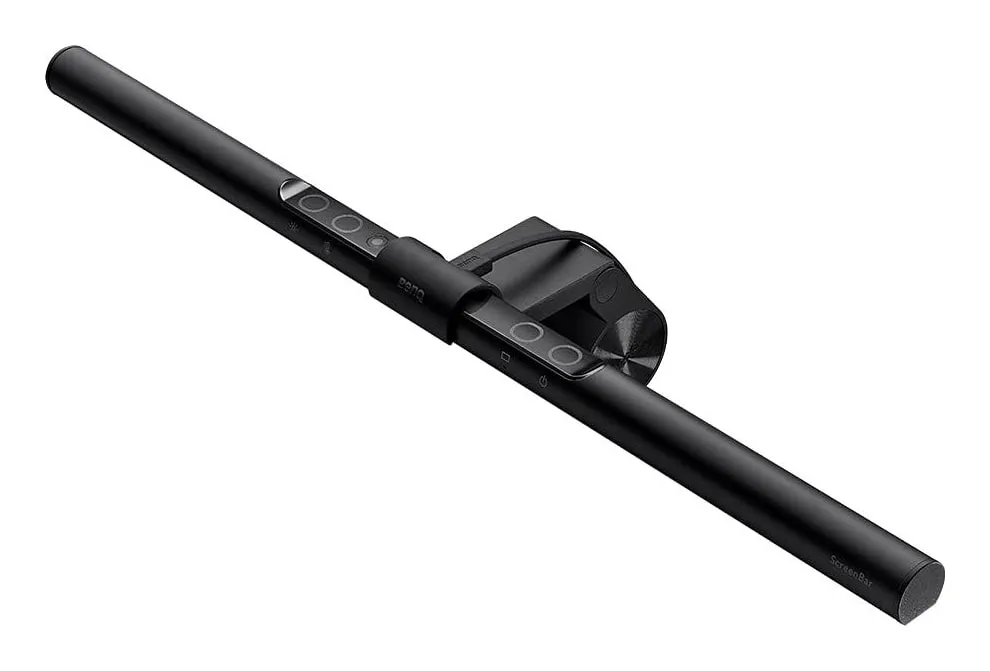
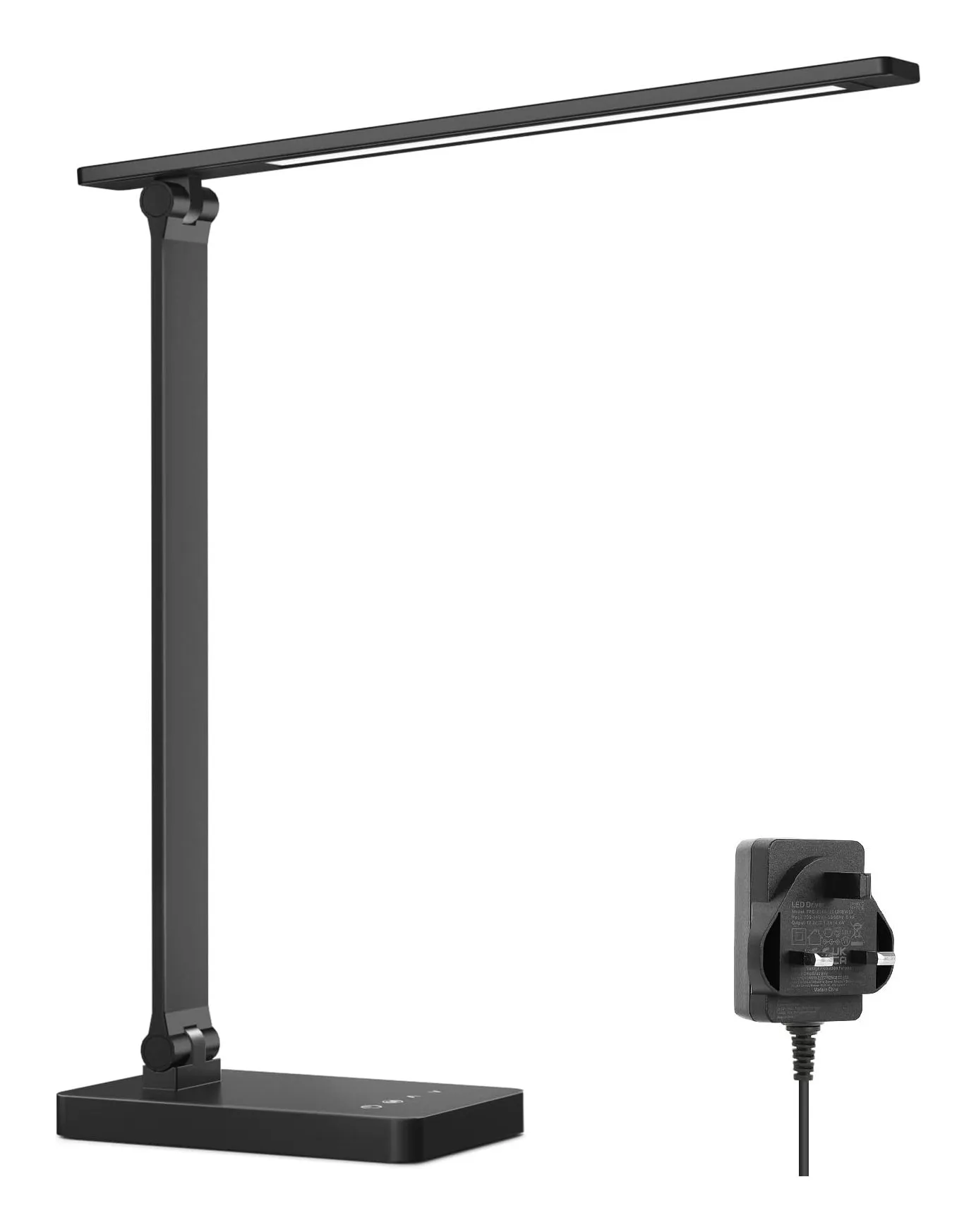
A light bar clamps to the monitor, takes no desk space, runs from a USB port and lights exactly the patch of desk in front of the screen. A desk lamp lights whatever you point it at — including paper, the shelf and your face on a video call — and needs a socket and 10 by 16 cm of desk. Which you need depends on one question: is the screen the only thing you look at?